· Updated · StartMeUp AI · 10 min read
Campaign Manager: AI-Assisted Social Campaign Operations
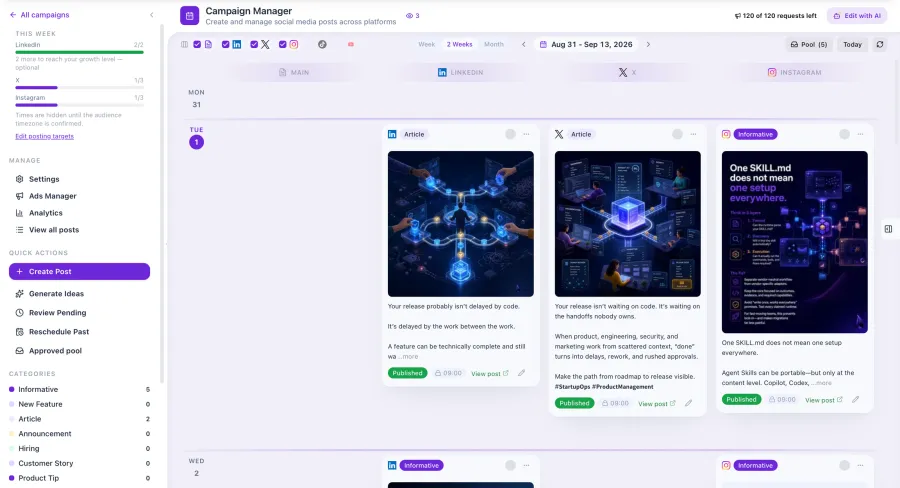
Campaign Manager is Byblos AI’s project-scoped workspace for planning, drafting, reviewing, scheduling, publishing, and measuring social-media posts. It combines AI-assisted content, per-platform variants, brand and product context, role-based approval, media handling, provider adapters, and post-publish metrics. Campaign Manager is included in paid Launch, Grow and Pro beta plans. This article covers social content operations, not a claim of generally available paid advertising, email campaigns, landing pages, influencer tracking or autonomous product-roadmap changes.
Correcting the Scope
“Campaign manager” can imply an entire marketing suite. That is not the scope described by the current ByblosAI module.
The implemented focus is social content operations:
- project workspaces and team membership;
- a rolling calendar;
- Markdown article and post editing;
- AI-assisted generation and editing;
- social-platform variants;
- approval states;
- images and video;
- direct and scheduled publishing through configured providers;
- post-publish metrics;
- project memory and brand context.
Email sequences, paid-ad management, landing-page generation, influencer tracking, and social listening are outside the verified scope of this article.
Product Status and Evidence Boundary
Update, 21 October 2026: Free needs no card and has no time limit. Launch is available now in beta with self-serve signup and checkout, with no access request. Grow and Byblos AI Pro need an access request and approval before checkout. Co-CTO (private beta) is included in Grow and Pro: it turns your roadmap into technical decisions and GitHub issues, and reviews pull requests, while your developers or coding agents implement the software. Video Studio is in private beta on Pro and coming soon for Launch and Grow. Human experts are in early access: browse experts on any plan, message or invite them on paid plans, and yearly Pro includes two human reviews; review-credit purchases, in-app contracts and payments to experts are not available. Production Foundation is available by request. See Byblos AI plans and access.
Plan entitlement, provider configuration and runtime verification remain distinct from source implementation.
Some publishing paths require:
- authenticated project access;
- the correct role;
- a connected social account or provider;
- valid credentials;
- a supported deployment environment;
- successful provider preflight;
- current plan and feature access.
Internal module plans still identify some live provider and runtime checks. This article therefore describes the implemented workflow without claiming that every platform/provider combination has been proven in production for every customer.
Check the current Byblos AI platform for plan limits and provider availability.
Why Social Operations Need More Than Generation
Generating a caption is easy. Operating a team workflow is harder.
A useful system has to answer:
- Which project does this content belong to?
- Which product and brand context informed it?
- Who can edit, approve, schedule, publish, or connect accounts?
- Which platform variant is approved?
- What happens if one variant fails and another succeeds?
- Which media belongs to which variant?
- Was the post actually published?
- Which metrics came back from the provider?
Our product perspective is that AI generation should sit inside this operational model, not replace it.
The Project-Scoped Workspace
Campaign Manager organizes content inside a ByblosAI project. Team membership and role capabilities govern access.
The workspace includes:
- a dashboard;
- a rolling calendar;
- project statistics;
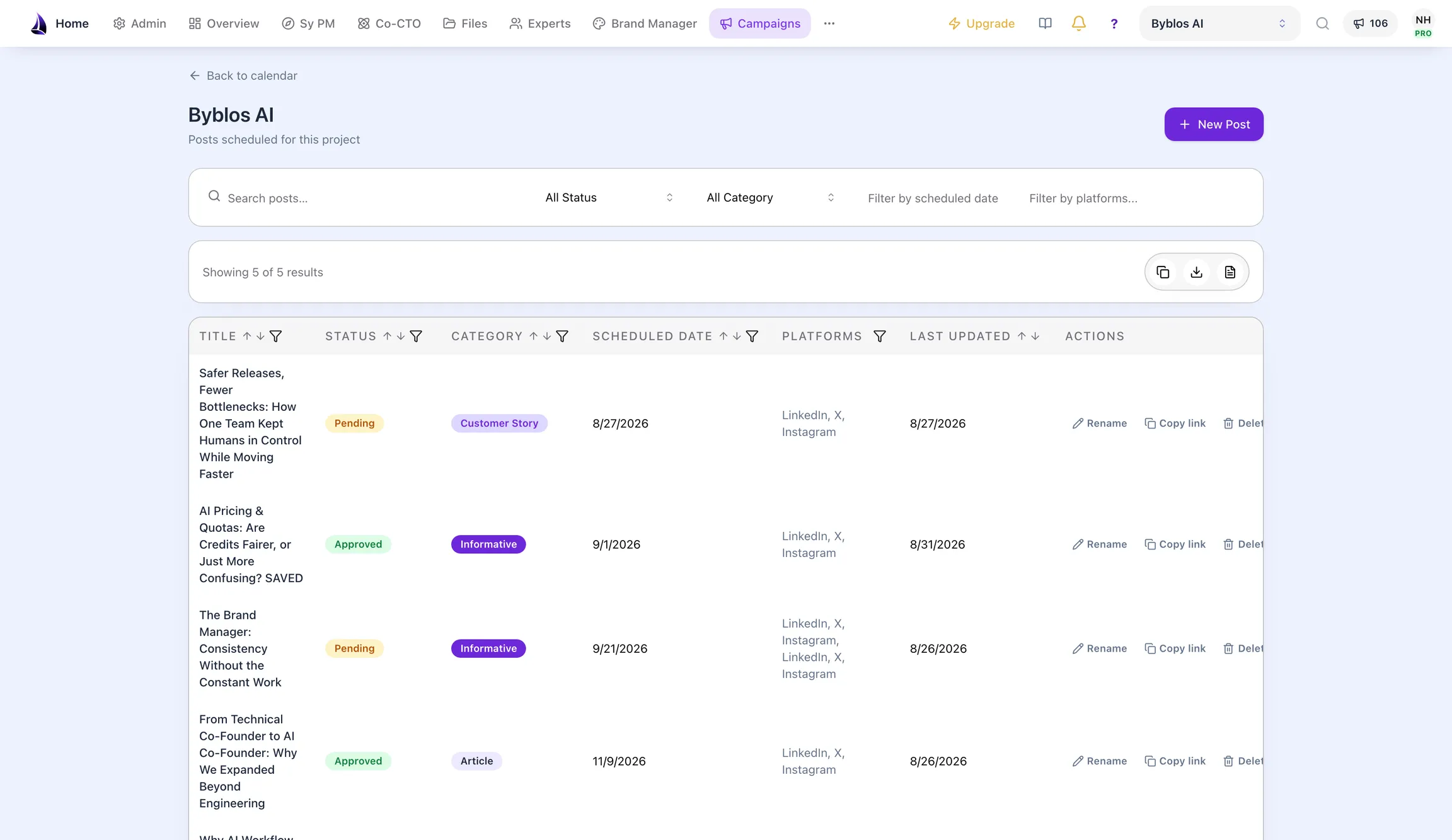
- post lists;
- a post editor;
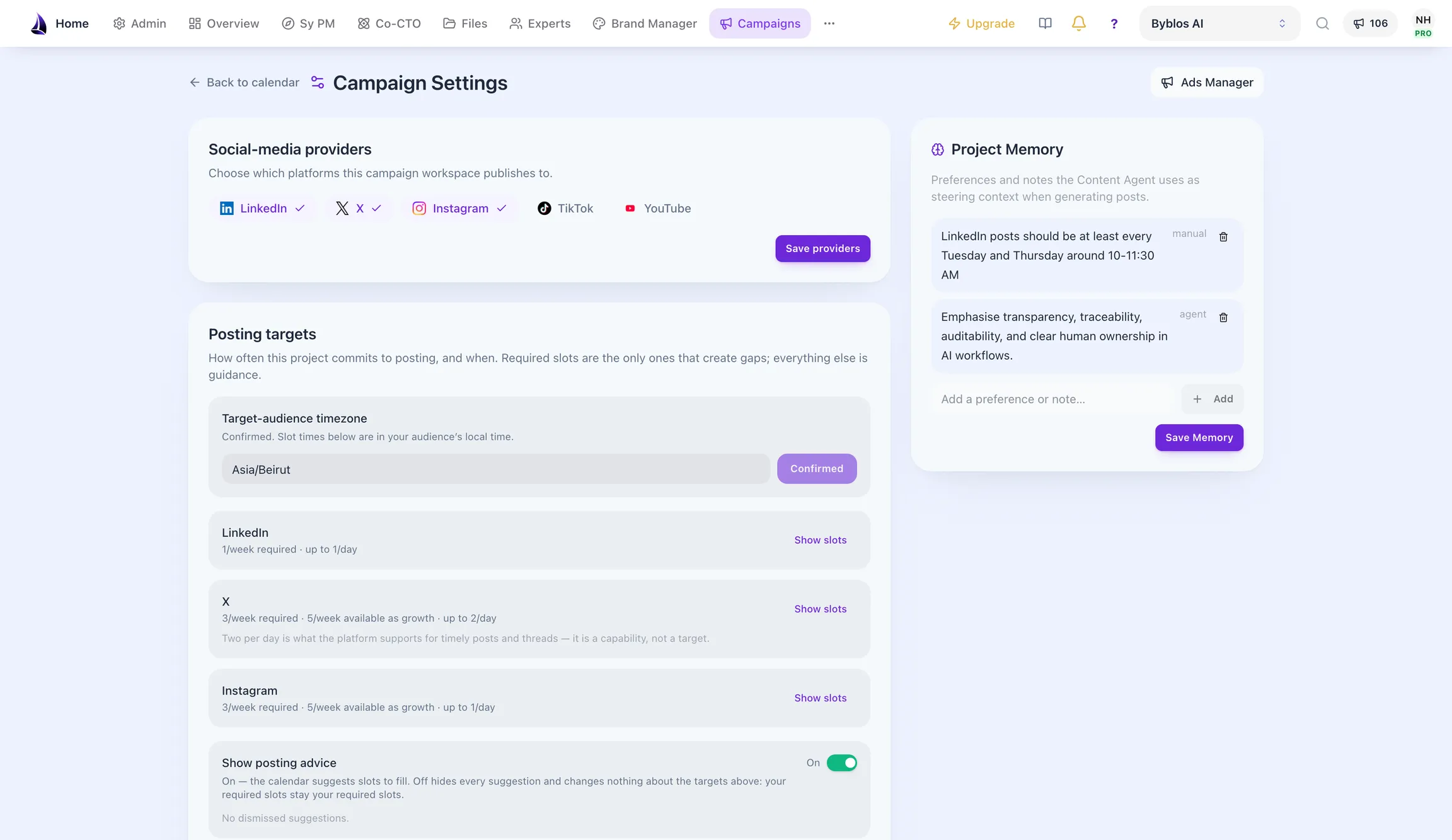
- campaign settings;
- provider connections;
- project memory;
- brand-context inspection.
Project scoping is a security and data-ownership boundary, not merely a UI filter. Server actions and routes still need to verify membership and permissions.
From Main Content to Platform Variants
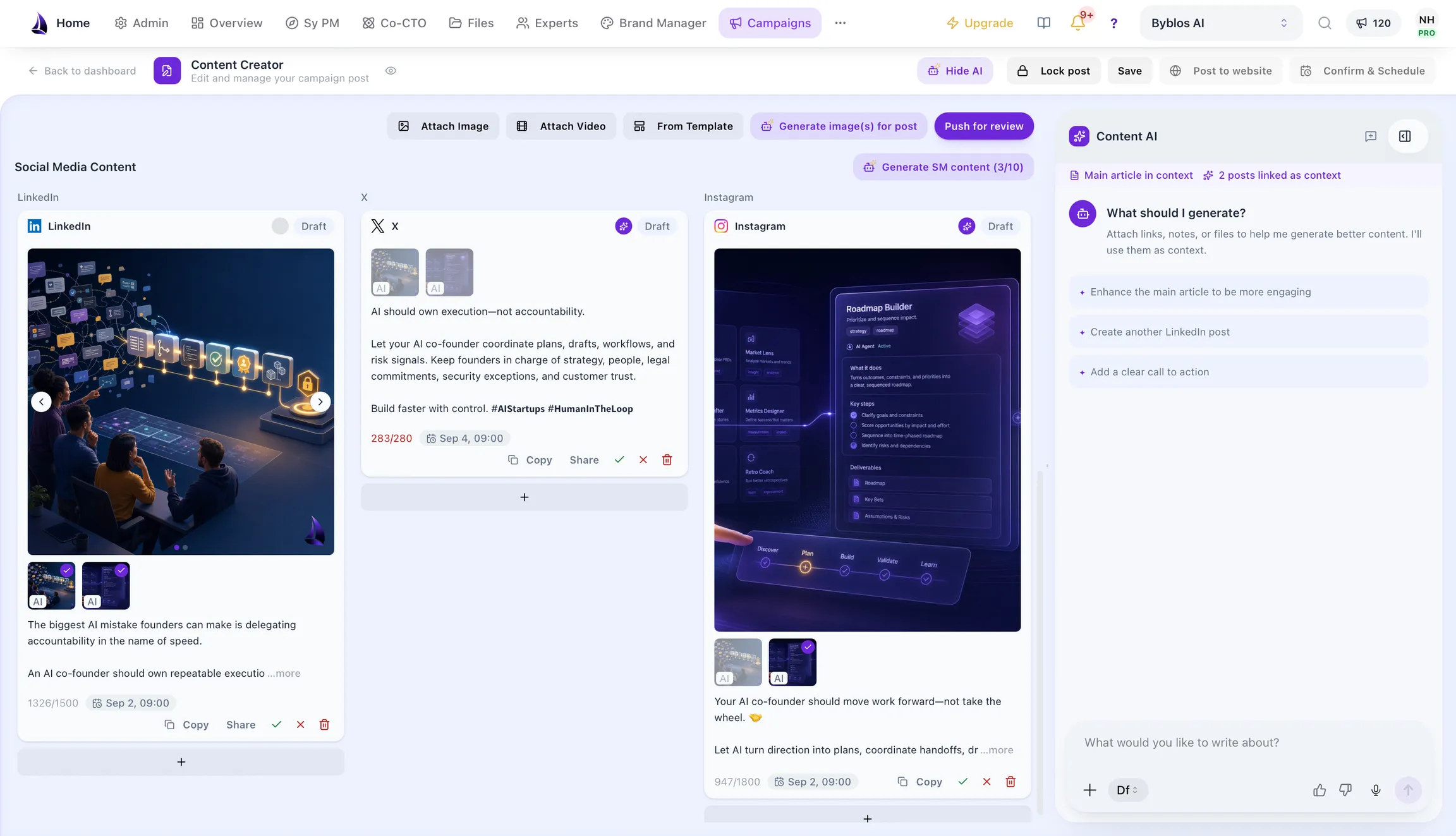
A main article or content item can be used to derive platform-specific variants.
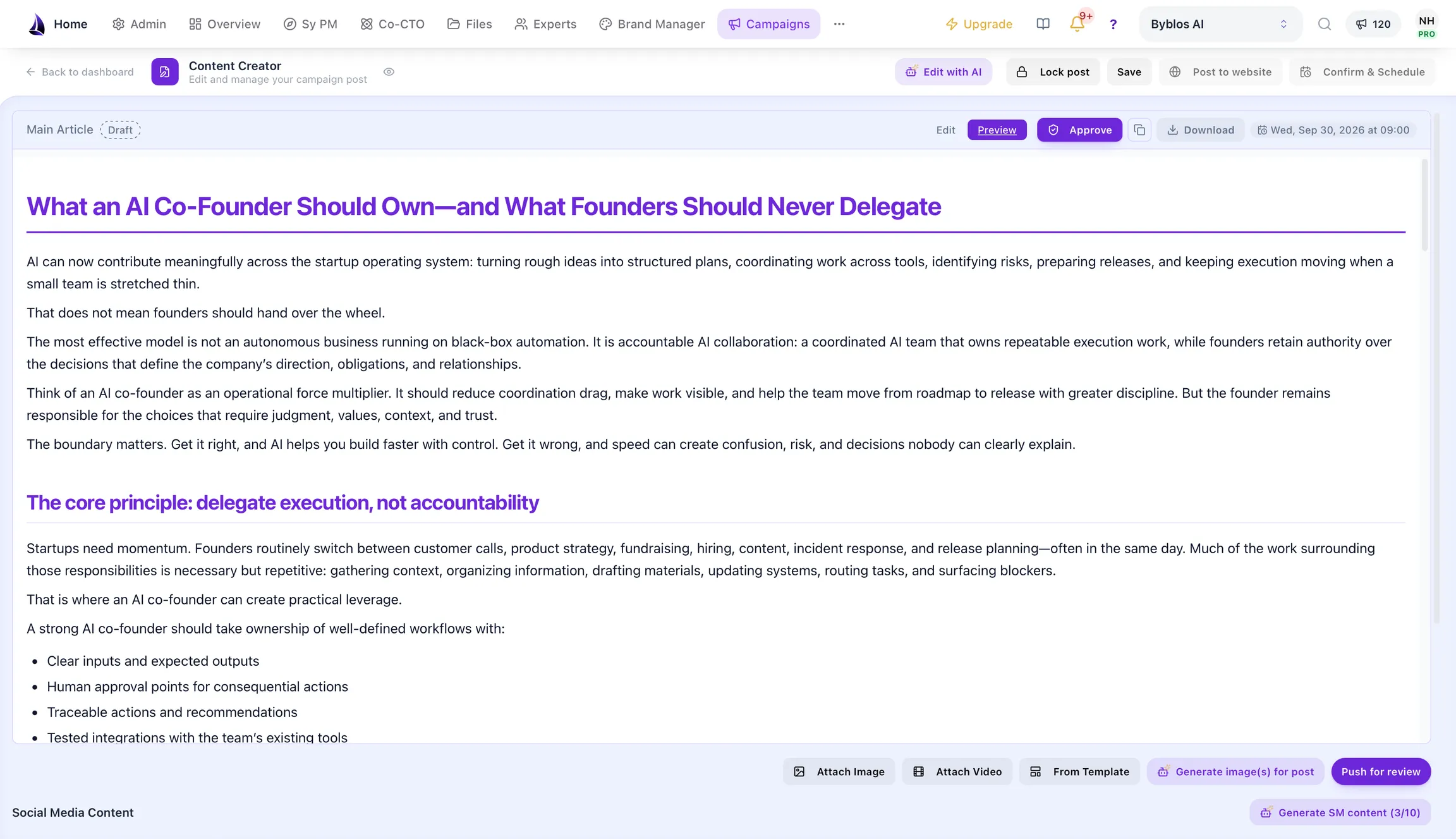
The current implementation contains formatting and variant logic for:
- LinkedIn;
- X;
- Instagram;
- TikTok;
- YouTube.
Provider and native OAuth support is not identical across all five. The module’s native OAuth documentation focuses on LinkedIn, X, and Instagram, while additional publishing can depend on the configured provider. Availability should therefore be verified per platform and backend.
The system can generate several variants with different angles. A human can edit the result before approval.
Why Variants Need Independent State
One campaign item may have an approved LinkedIn variant and a draft X variant. Treating the parent as one status would hide that difference.
Campaign Manager uses per-variant lifecycle states as the source of truth. The parent status is derived.
Typical states include:
draft
  ↓
pending approval
  ├─ approved
  └─ declined

approved
  ├─ scheduled
  └─ publishing
       ├─ published
       └─ publish failed
This status model is a product implementation choice. Its benefit is that one platform can progress without pretending every sibling variant has the same result.
Role-Based Approval
The module distinguishes capabilities such as:
- create;
- edit;
- approve or decline;
- publish;
- manage settings;
- manage social connections.
AI does not grant itself those rights. Authorization is enforced in application logic and server boundaries.
Our preferred publishing rule is:
Generate freely within the permitted workspace, but publish only an explicitly approved variant through an authorized user and configured provider.
That is our governance practice. Teams can adapt approval depth to their risk, but should not describe generated content as approved merely because an agent produced it.
Brand Context Without Pretend Control
Campaign Manager can consume Brand Manager context.
The text and image paths use it differently:
- Text generation uses tone, values, personality, and phrase guidance.
- Image-prompt generation can use visual direction, palette, and typography context.
- Inspectors show which context is present.
The text model intentionally does not receive typography and color as if it could render those visual properties in plain text. This is a practical example of giving a model only the context it can use.
Read Brand Manager: Consistent Brand Systems at AI Speed for the source contract.
Product Context From Product Manager
The content agent can use Product Manager context as one source alongside news and existing posts. That helps campaign content reflect:
- intended users;
- product positioning;
- current product context;
- approved project information.
We do not claim an automatic reverse loop in which social metrics rewrite the Product Manager roadmap. Campaign evidence may inform a human product review, but an automated product reprioritization flow would require an explicit contract, evidence rules, and approval.
Read Product Manager: An AI Product Manager for Startup Delivery for the product-context model.
The Content Agent
The content agent supports generation, analysis, chat, and rescheduling-related intents within the project.
Its role is to help produce and organize content. It does not:
- independently decide the company’s marketing strategy;
- approve its own work;
- connect provider accounts;
- publish without authorization;
- guarantee engagement;
- convert third-party news into verified company claims.
Source quality still matters. If the workflow uses news or external context, the editor should review dates, attribution, rights, and relevance.
Images and Video
Campaign Manager supports media selection, generation, upload, and variant placement.
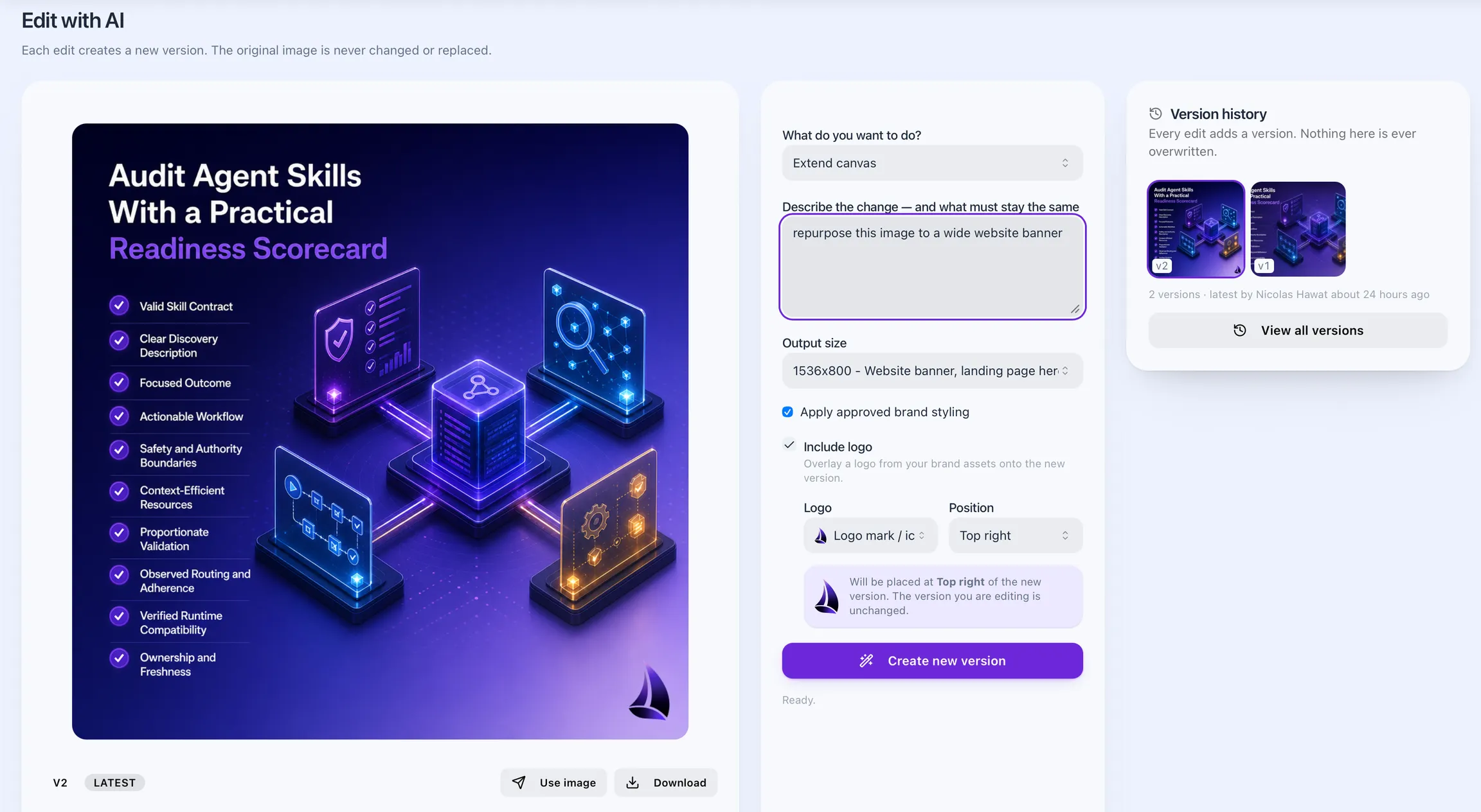
Image editing is versioned: each AI edit creates a new version and the original is never overwritten. An edit can change the format, for example repurposing a square social visual into a website banner, and can apply approved brand styling and a logo overlay from the brand’s assets.
Video Studio, for video creation and editing that follows your brand guidelines, is in private beta on Byblos AI Pro and coming soon for Launch and Grow. Campaign Manager can publish approved video and track its analytics. The video path includes:
- direct or multipart upload according to file size;
- storage validation;
- metadata;
- durable project references;
- explicit placement on selected variants;
- preflight against a platform capability registry;
- provider submission;
- status reconciliation.
The platform limits in a capability registry are operational configuration and can change. Provider rules remain the source of truth, and production behavior requires live verification.
Generated or uploaded media also needs:
- rights review;
- accessibility text or captions where appropriate;
- brand review;
- platform-policy compliance;
- human approval.
Direct Publishing
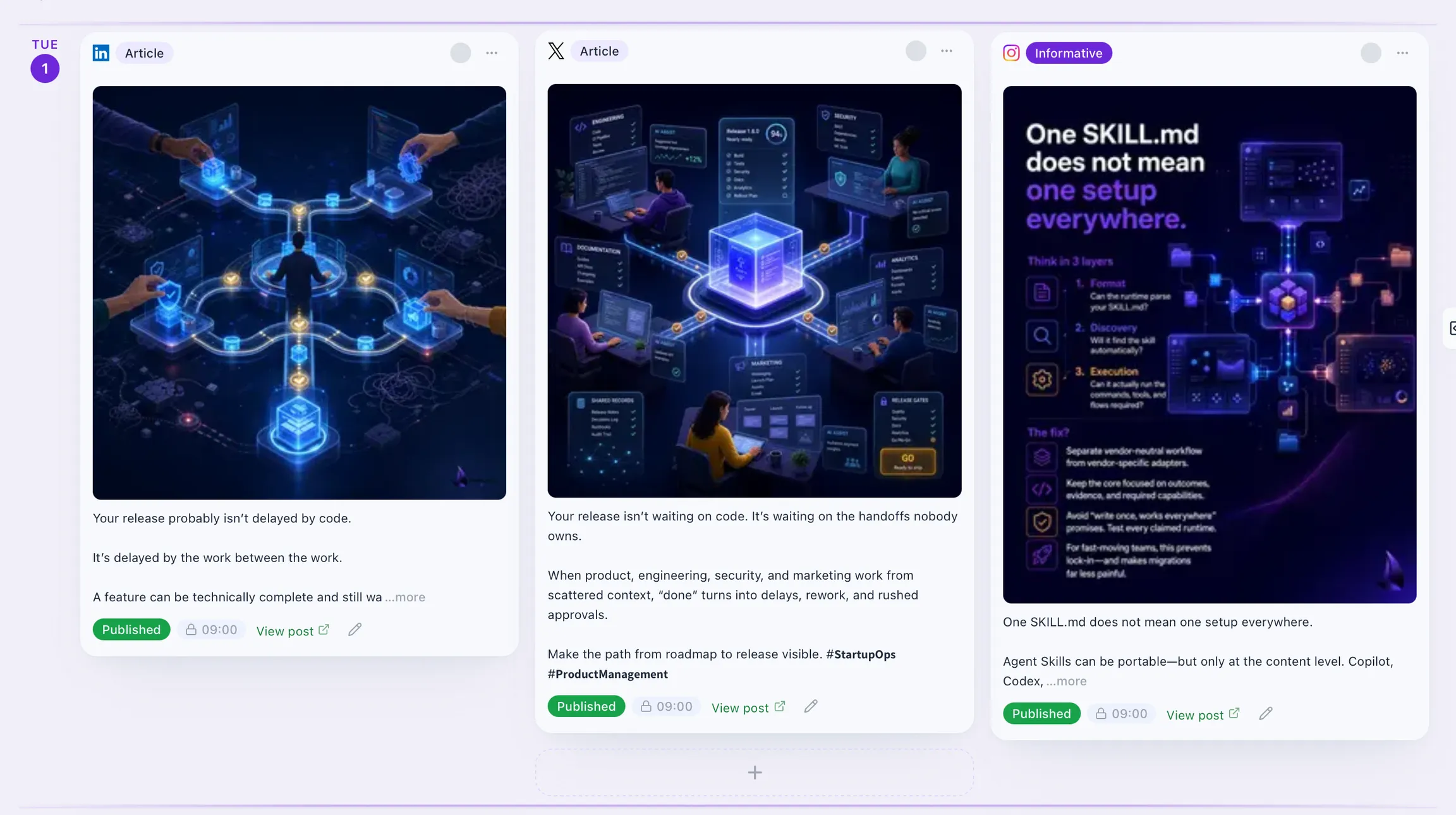
An approved variant can be submitted through the configured provider.
The publishing pipeline:
- validates access and publish eligibility;
- selects the configured provider;
- submits each chosen variant with idempotency controls;
- stores publish records and raw provider events;
- updates per-variant status;
- reconciles asynchronous results.
This is more robust than assuming an HTTP success means the social platform published the post. Asynchronous providers may return a job that succeeds or fails later.
Scheduled Publishing
Scheduling is per variant. Changing the social schedule does not silently move the main website article.
Where the configured provider supports delegated scheduling:
- the application submits a scheduled time;
- a real provider job identifier must be persisted;
- cancellation and rescheduling operate on that job;
- webhooks or bounded status checks reconcile the outcome.
A local scheduled status without a provider job is not treated as proof that publishing will occur.
That evidence boundary comes directly from how we handle external integrations: local intent and provider acceptance are different facts.
Metrics and Interpretation
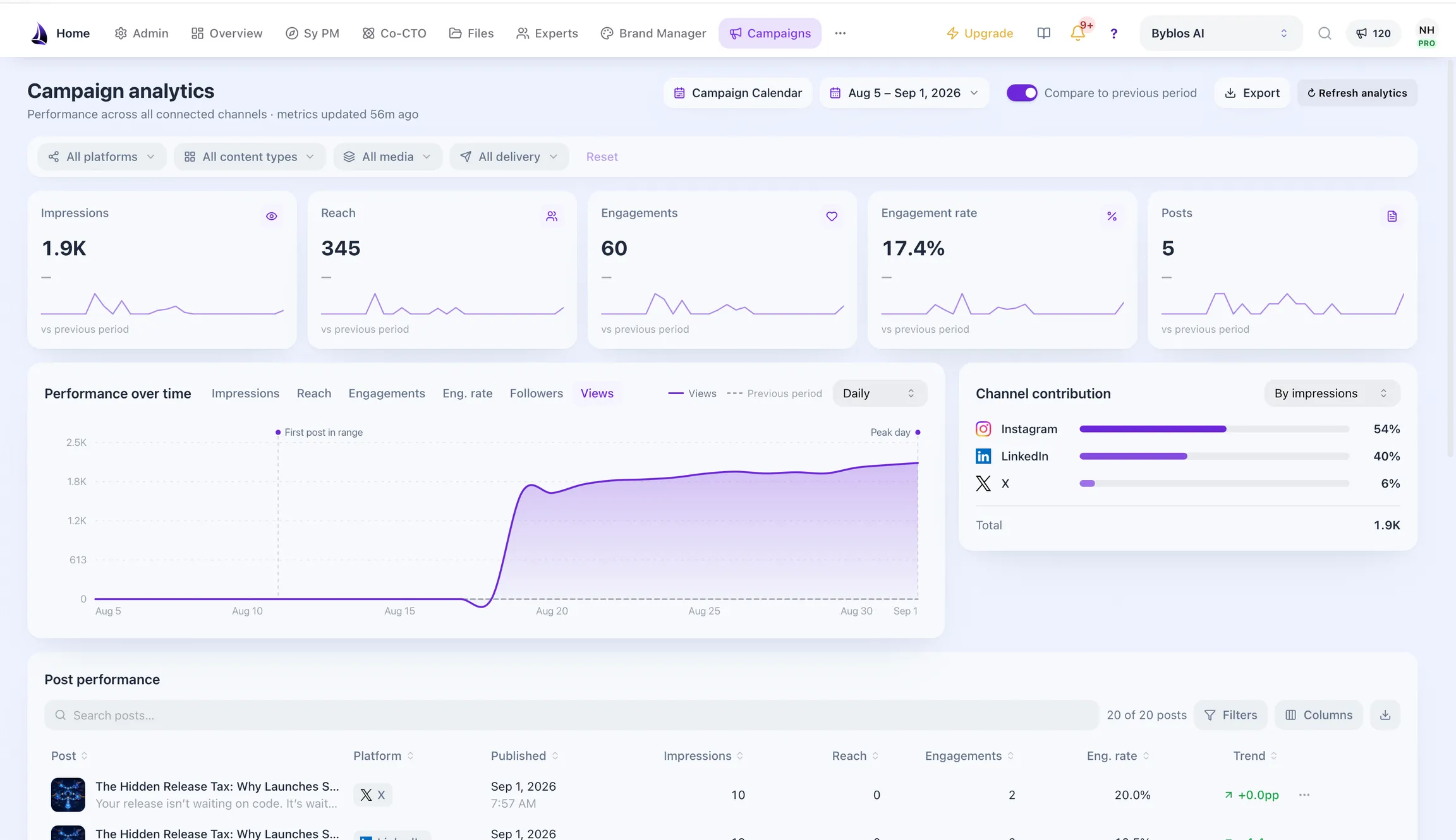
Campaign Manager can store provider metrics such as:
- impressions;
- reach;
- engagements.
Metrics need context:
- reporting windows differ;
- provider definitions differ;
- delayed data may change;
- engagement does not automatically equal product demand;
- correlation does not prove a content change caused the result.
The product can organize and compare observations. Humans decide how those observations affect marketing and product strategy.
An Illustrative Startup Workflow
The following is a recommended operating pattern, not a performance guarantee.
Monday: Plan
- choose a product theme;
- review Product Manager and brand context;
- inspect relevant source material;
- define target platforms and goals.
Tuesday: Generate and Edit
- create the main content;
- derive platform variants;
- edit for platform and audience;
- attach approved media.
Wednesday: Review
- verify claims and links;
- check brand context;
- review accessibility and rights;
- approve or decline each variant.
Thursday: Schedule
- confirm connected providers;
- select approved variants;
- submit schedules;
- verify provider job identifiers.
After Publication: Measure
- reconcile final status;
- inspect metrics in the appropriate window;
- record useful observations;
- bring strategic insights to human product and marketing review.
What Comes From Our Engineering Style
Campaign Manager reflects several conventions we use across ByblosAI:
- Per-item state is canonical; aggregate state is derived.
- Authorization is capability-based and server-enforced.
- Providers sit behind an abstraction.
- Idempotency protects external writes.
- Raw provider evidence is preserved.
- Project modules exchange context through explicit contracts.
- Media retains durable lineage.
- Local state does not stand in for provider proof.
These are our engineering choices. Other systems may use different status models or provider architecture.
Explicitly Out of Scope
This article does not claim Campaign Manager currently provides:
- paid advertising campaign management;
- ad-budget optimization;
- email marketing automation;
- landing-page generation;
- influencer management;
- social listening;
- autonomous product-roadmap updates;
- guaranteed engagement or conversion.
Clear exclusions make the implemented product easier to trust.
Key Takeaways
- Campaign Manager focuses on social content operations, not the entire marketing stack.
- Per-platform variants have independent approval, scheduling, and publishing state.
- Brand and Product Manager context inform generation through explicit integrations.
- Provider acceptance, publication, and metrics are separate evidence stages.
- AI assists creation and analysis; humans retain approval and strategy authority.
Frequently Asked Questions
Does Campaign Manager run paid ads?
No. Paid promotion and ad-campaign management are outside the current verified scope.
Which social platforms does it support?
The implementation contains variant logic for LinkedIn, X, Instagram, TikTok, and YouTube. Connection and publishing support varies by provider and must be verified for the configured backend.
Can it publish without human approval?
The intended workflow requires the appropriate role and an approved variant. Actual authorization is enforced server-side.
Does campaign performance automatically update the product roadmap?
No automatic feedback loop is claimed. Teams can review campaign observations and decide whether they should influence product work.
Do paid plans include Product Manager?
Paid Launch, Grow and Pro plans combine Product Manager, Brand Manager and Campaign Manager, with scope and allowances set by the plan. Free provides a limited starting workflow. Check current plan details.
Is Campaign Manager generally available?
Campaign Manager is in beta on paid plans. Launch is available now with self-serve signup and checkout; Grow and Byblos AI Pro need an access request and approval before checkout. Video Studio is in private beta on Pro and coming soon for Launch and Grow. See Campaign Manager and Byblos AI plans and access.
Conclusion
AI marketing becomes useful when generation is connected to context, review, authorization, provider evidence, and measurement.
Campaign Manager is our implementation of that operating model for social content. It helps a startup create and coordinate more consistently without pretending the agent owns strategy, approval, or business outcomes.
Explore ByblosAI, read about Brand Manager, Product Manager, and Co-CTO, or contact us.