
Discovery on Free
Start with brand discovery, personality and a colour palette on the standing Free plan.

Build a consistent identity from shared product context, or start with an existing brand. Campaigns reuse the voice, messaging and visual guidelines you approve.
Start with brand discovery, personality and a colour palette on the standing Free plan.
Launch and Pro include the full Brand Manager workflow and Campaign Manager. Import an existing brand from a website, text or document once per project.
Approve your brand personality, logo and colours to unlock campaigns. Keep your guidelines and assets in the same project.
Product screens illustrating the workflow. Features and access depend on your plan.
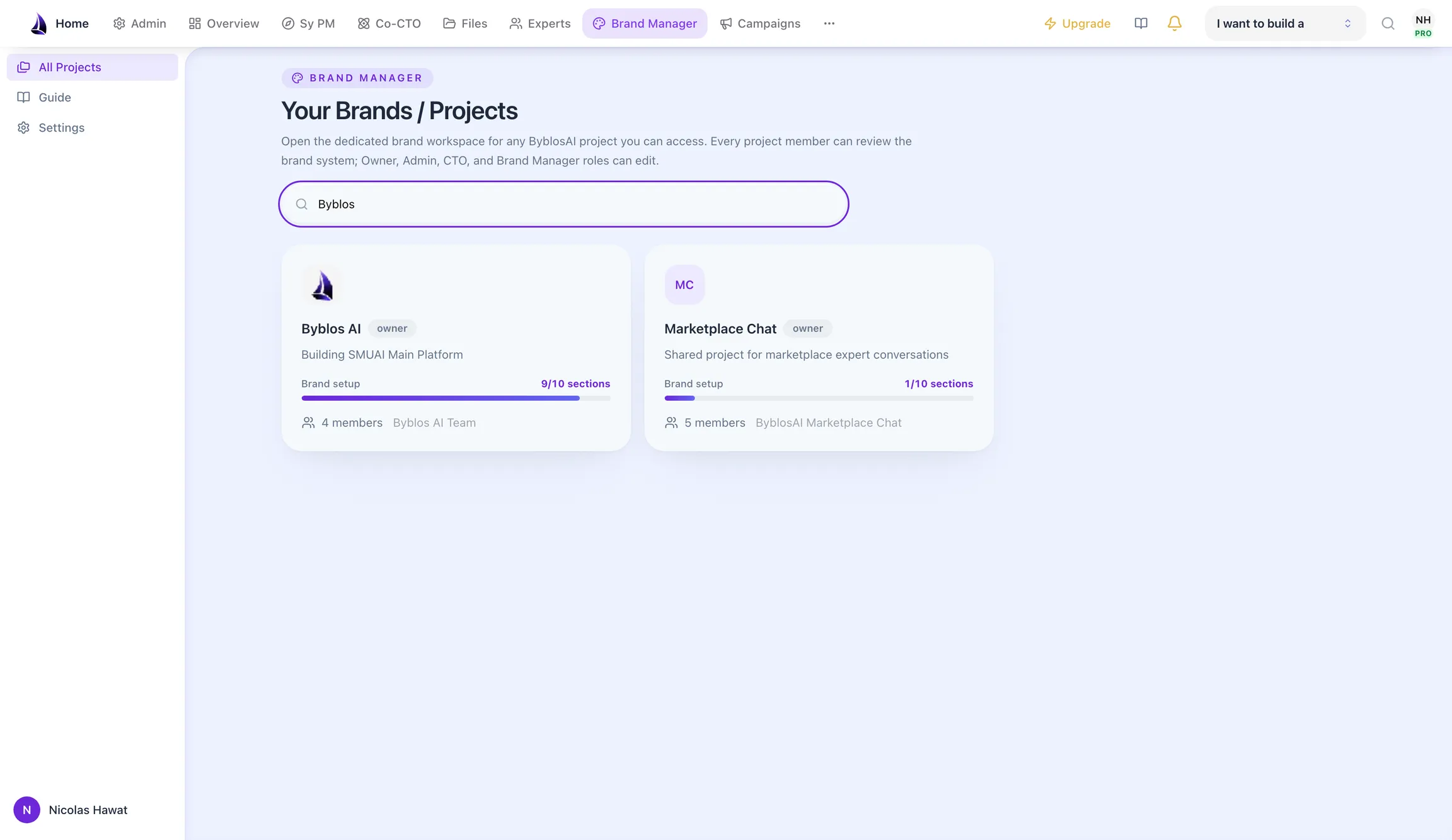
Each brand is its own project, with members and status visible at a glance.
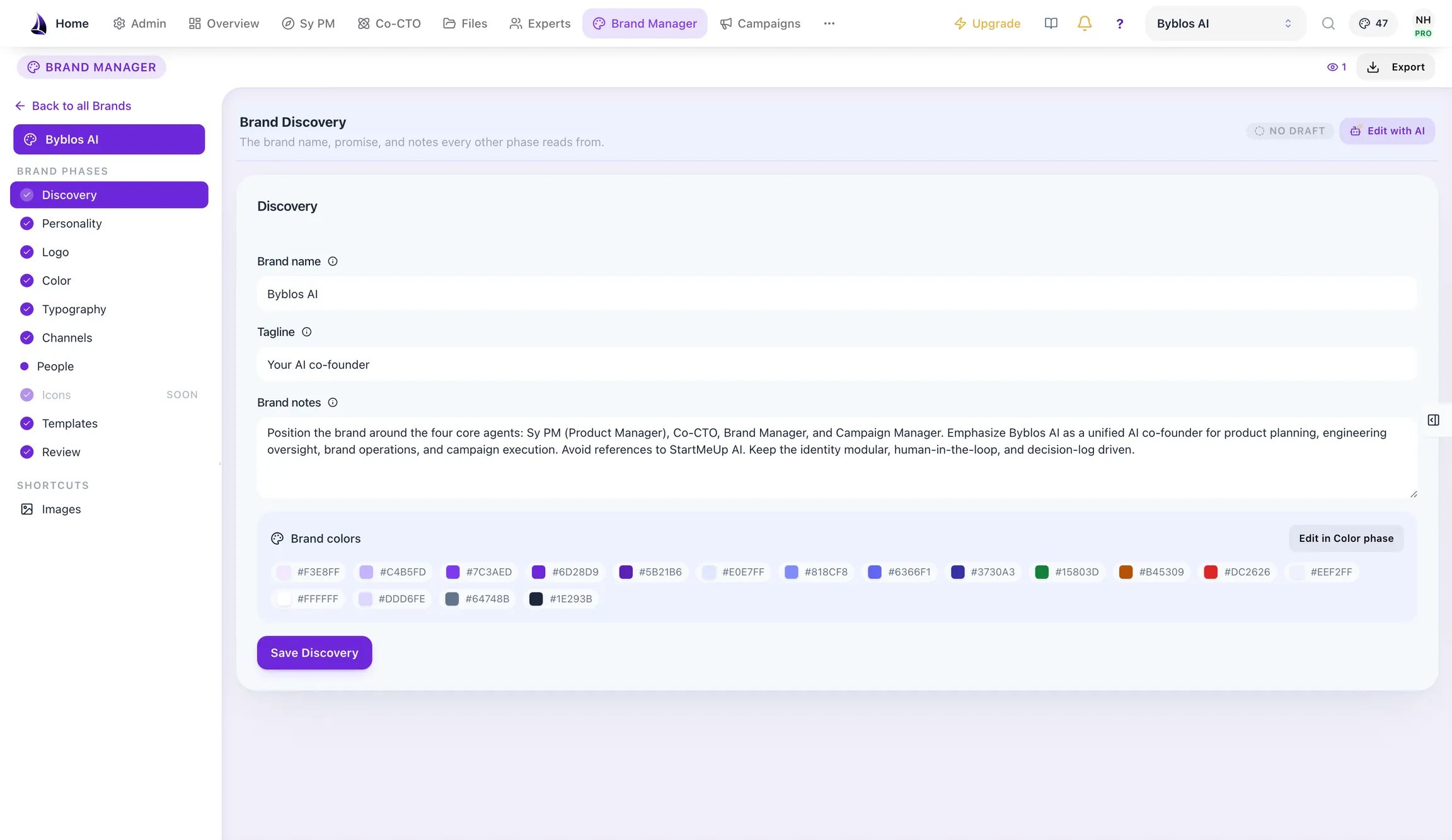
Brand name, tagline, positioning notes and the project’s colour set: captured once, then reused by every agent that touches the brand.
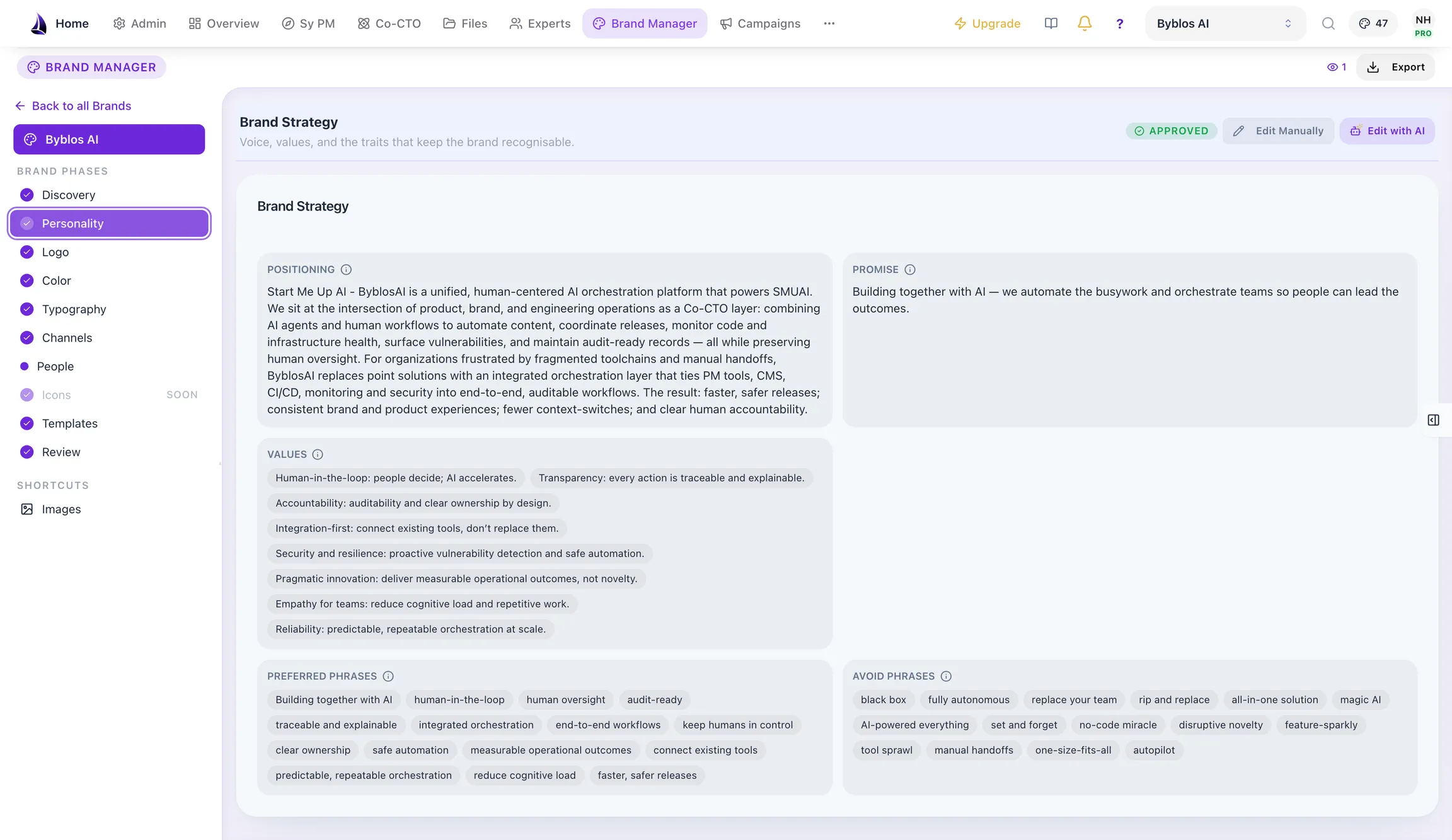
Positioning and promise statements, brand values, and explicit lists of preferred and avoided phrases. The avoided list is what keeps generated copy sounding like you.
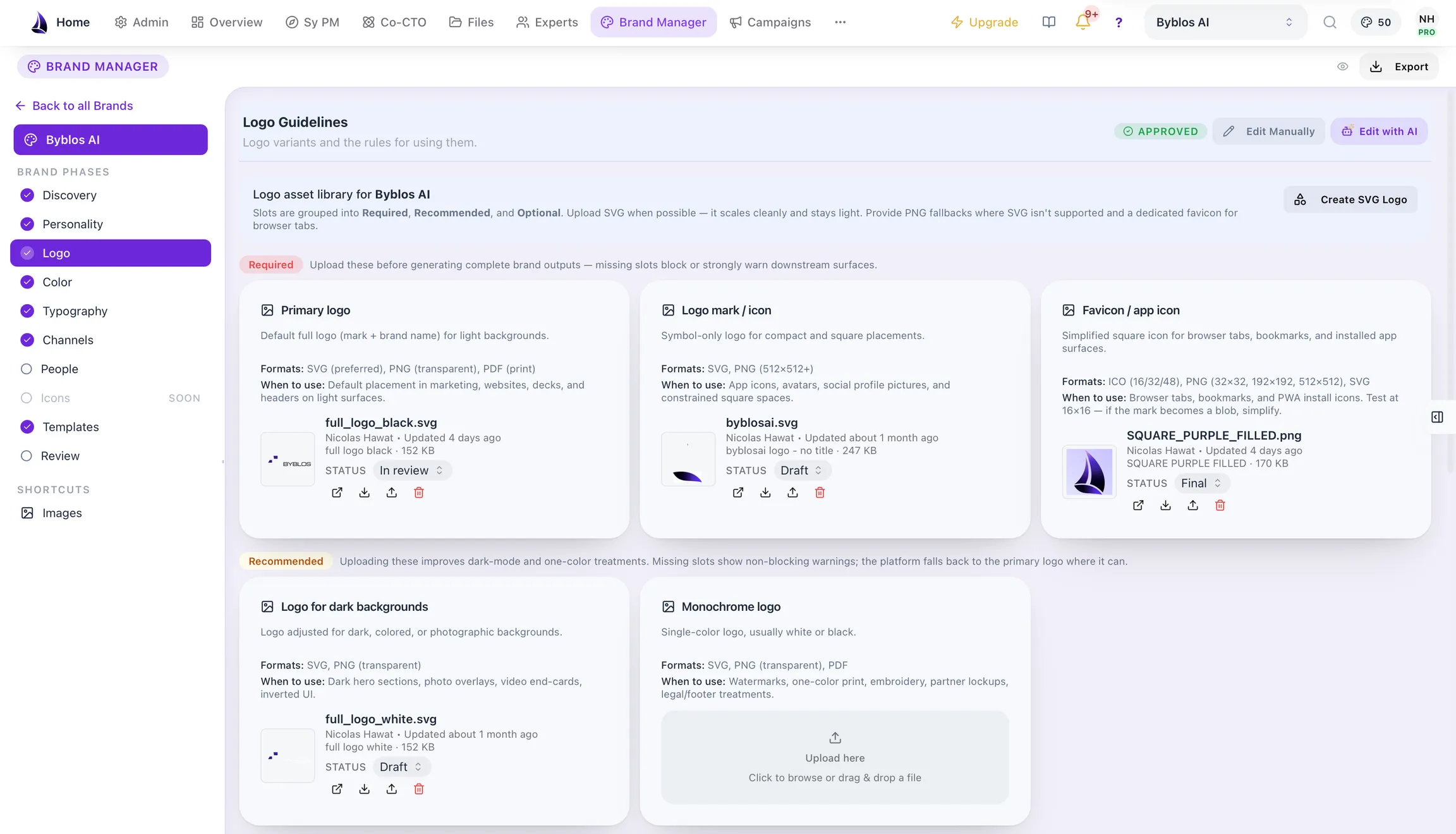
A slot system marking each asset required, recommended or optional, naming the formats it needs and when to use it, so you can see what is missing, not just what you have.
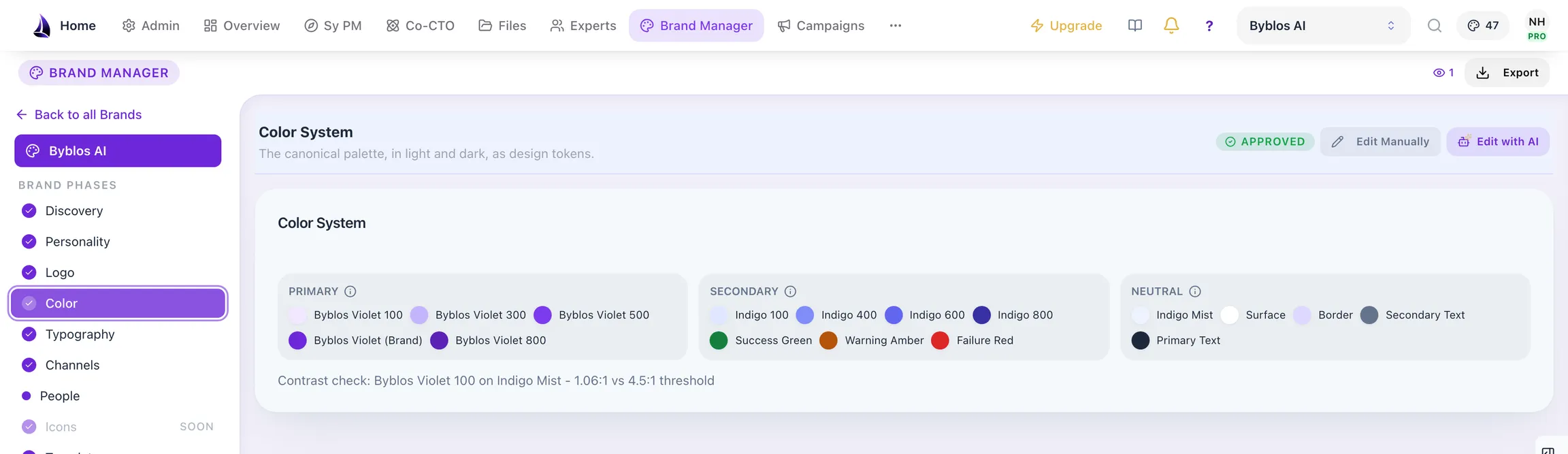
The palette as design tokens, with contrast checked against every pairing. Failing combinations are surfaced with the ratio and the threshold they missed.
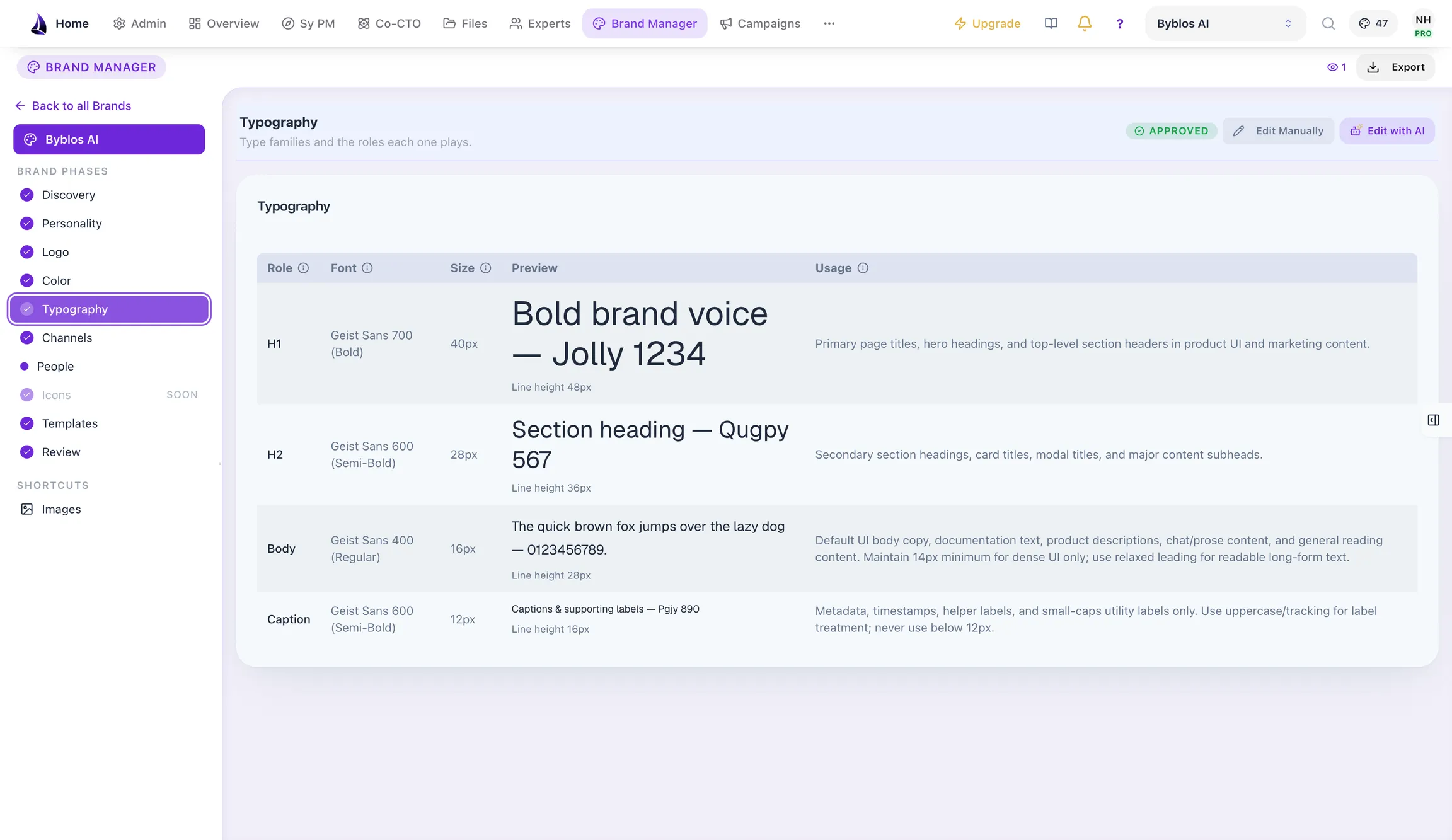
The type hierarchy, and where each font came from.
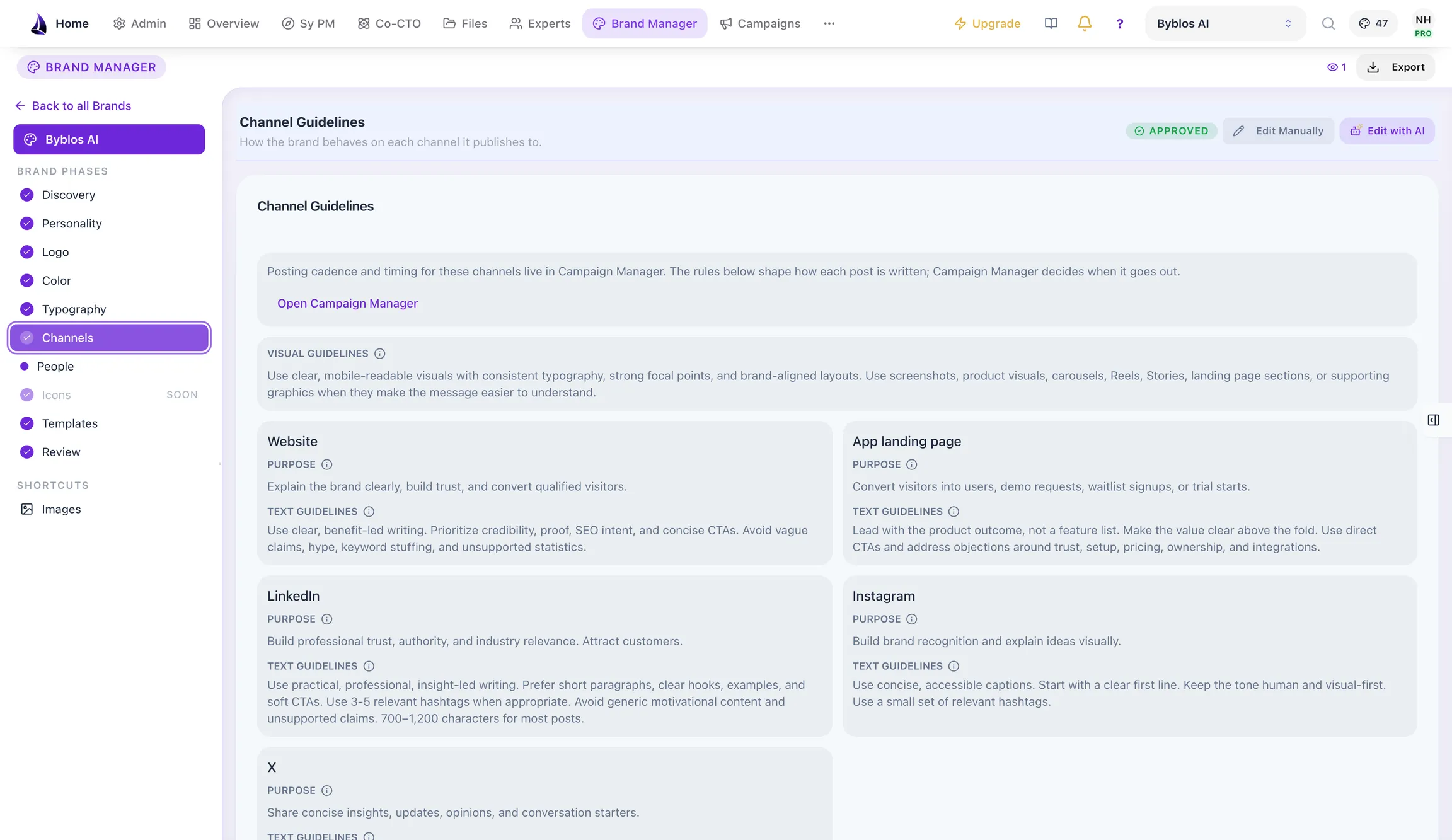
Per-channel guidance across website, app landing page, LinkedIn, Instagram and X, so the same brand reads correctly in each place.
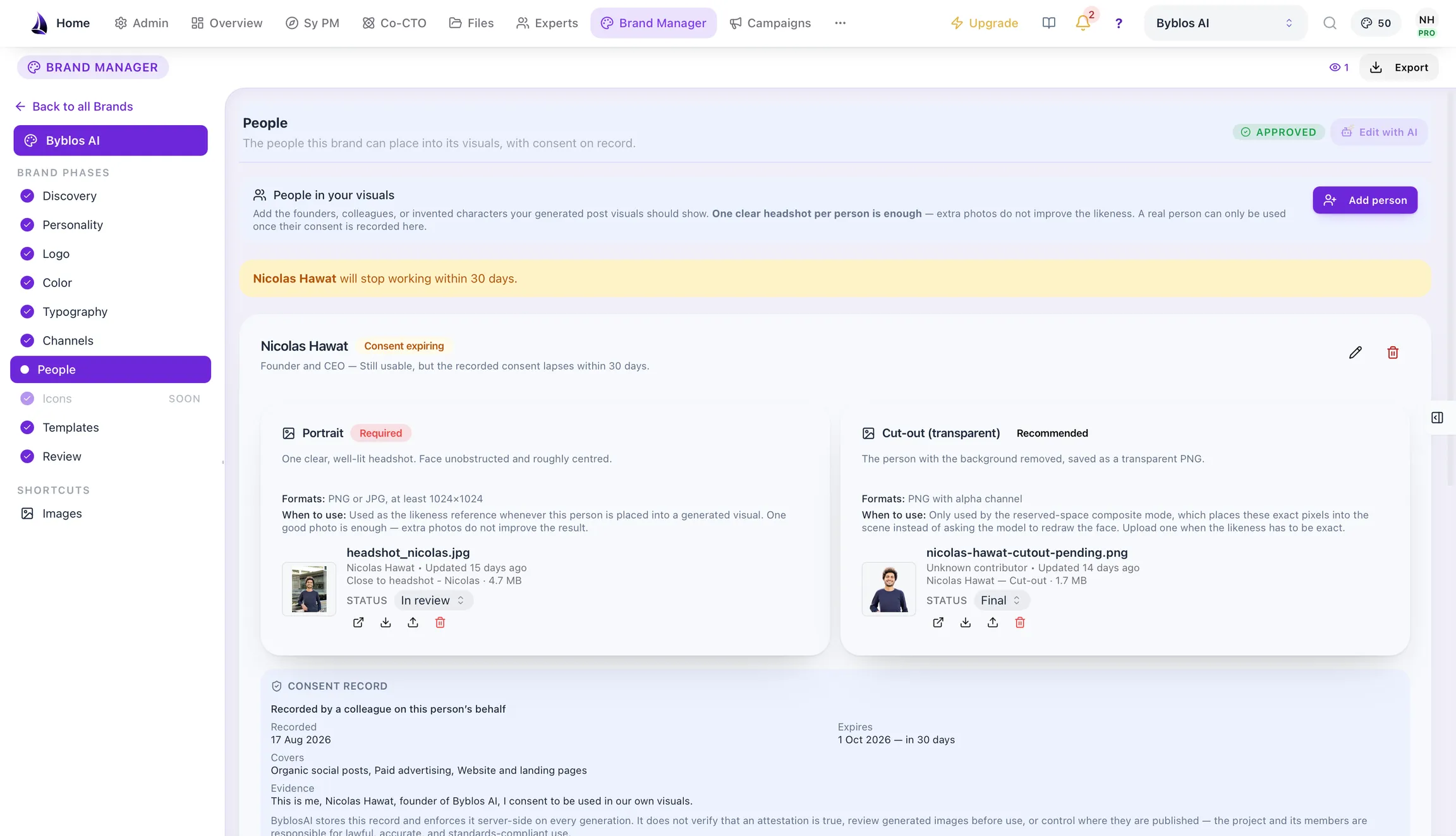
Before a real person can appear in a generated visual, their consent is recorded with its scope, evidence and expiry, and the platform warns you when it is about to lapse.
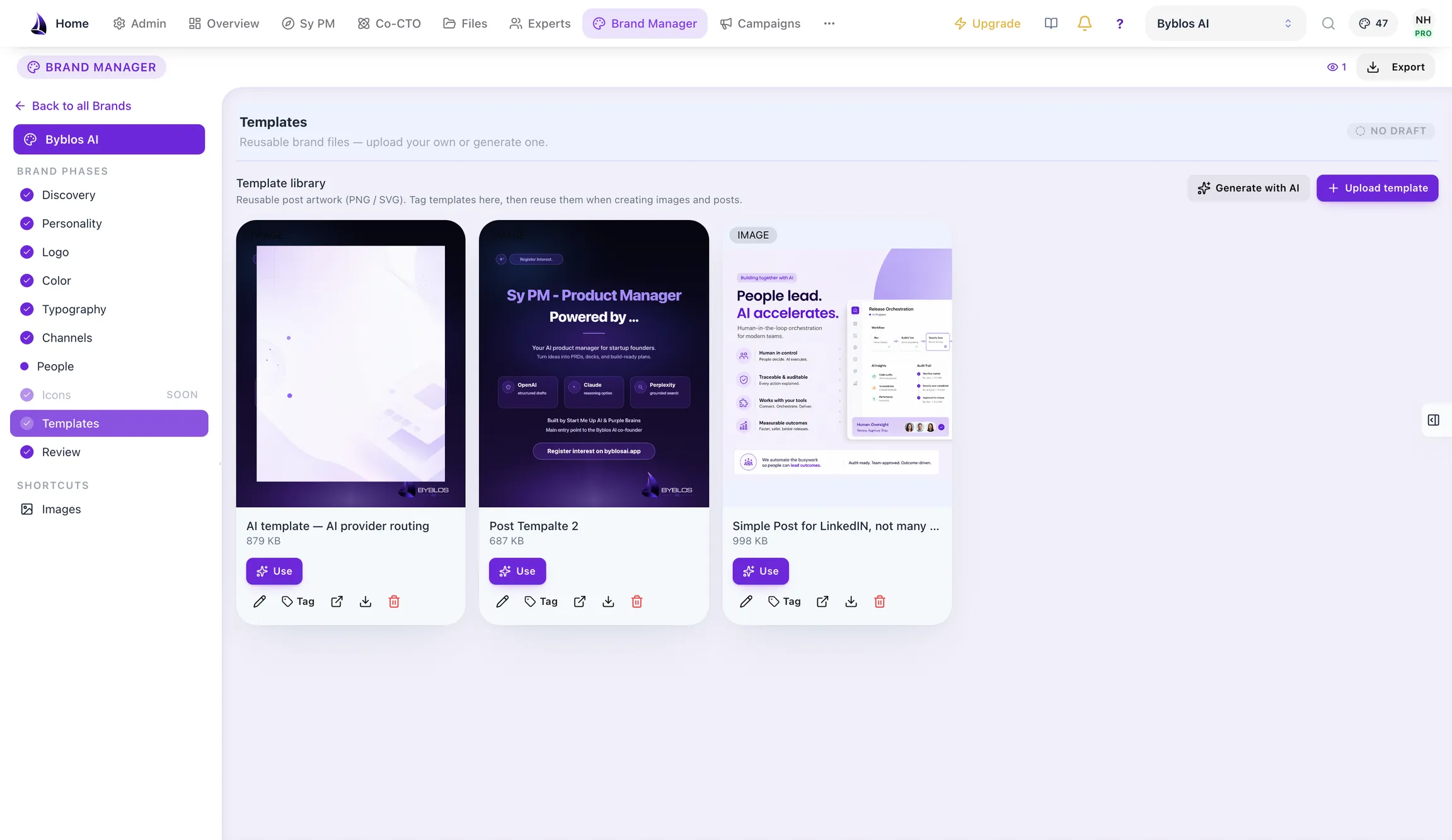
Reusable post templates built from the brand identity, rendered so you can see what you are picking.
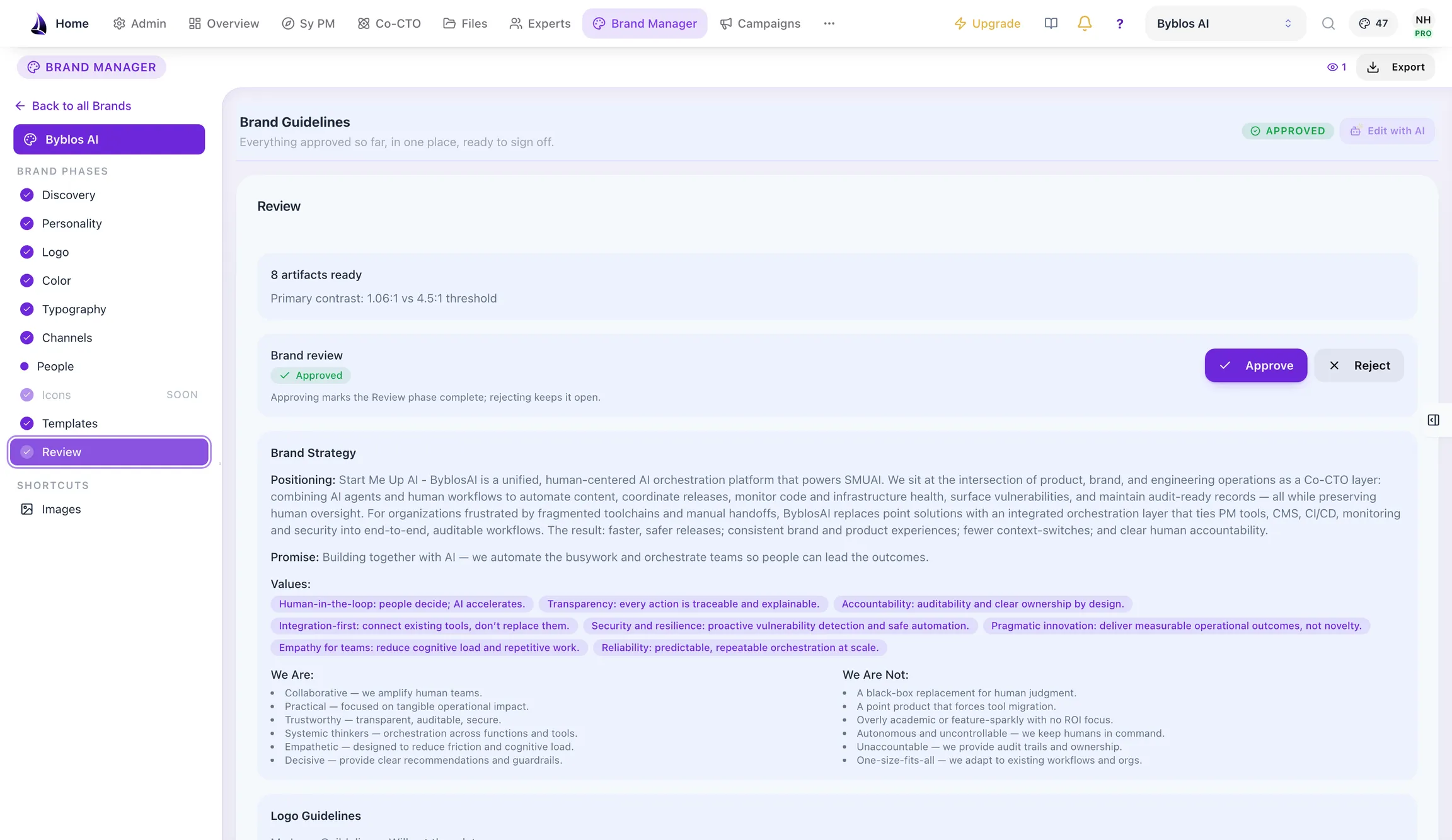
Every brand artifact reaches a single approval screen with approve and reject controls, above the full guideline document.
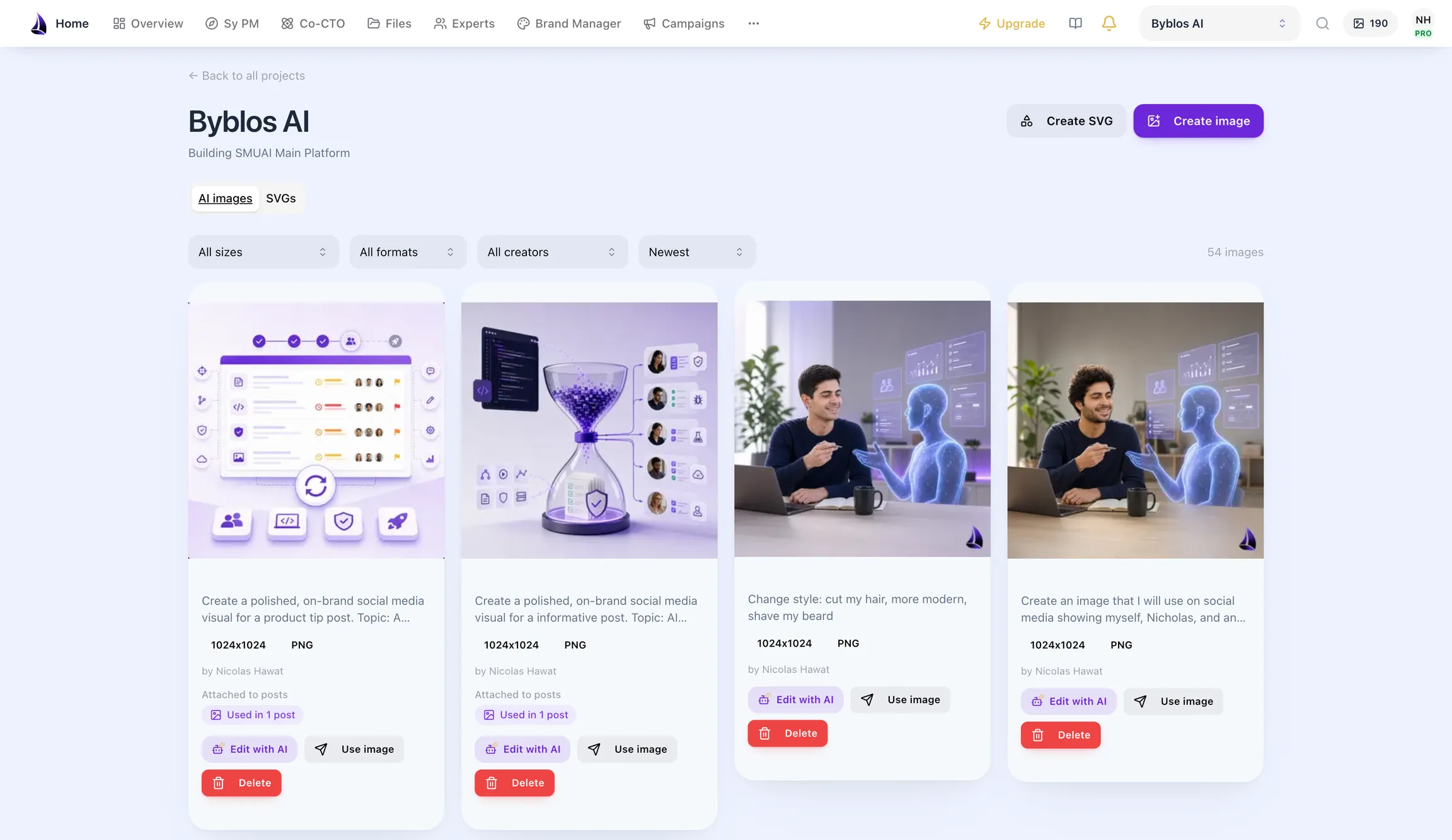
Generated visuals collect in one library, filterable by type, size, format and creator, so campaigns draw from approved images instead of starting over.
A brand workspace that keeps strategy, voice, and assets consistent as you scale.
Defines brand positioning, value propositions, and your market-facing identity, grounded in the product direction Product Manager captured.
Shapes tone, voice, and consistent copy patterns so your website, product, and campaigns all sound like the same company.
Manages logos, color systems, and shared brand documents per project: one source of truth for every visual decision.
Feeds the agents that use brand context: Campaign Manager generates on-brand posts and visuals from it, while Co-CTO (private beta) and your developers or coding agents can read it when they work on product surfaces.
Brand Manager sits between product and distribution. It takes the positioning captured byProduct Manager and evolves it into a shared brand system;Campaign Manager then generates posts and visuals grounded in that system. Your developers, coding agents and Co-CTO (private beta) can read the same identity when product surfaces are built.
What You Get Back
The brand system is not a PDF. It is a set of live artifacts that Campaign Manager reads from every time it writes a post or generates an image.
Reusable post templates built from the brand identity, rendered so you can see what you are picking.
Generated visuals collect in one library, filterable by type, size, format and creator, so campaigns draw from approved images instead of starting over.
Each brand is its own project, with members and status visible at a glance.
There is no free trial of paid plans. Yearly billing saves 20%. Launch starts at checkout; Byblos AI Pro starts after approval and checkout.
$0
Free forever
No credit card · No time limit
1 project · 120 AI credits per project each month
$39/month
$374.40/year
Beta · Available now · Self-serve checkout
1 project · 3,460 AI credits per project each month
$290/month
$2,784/year
Beta · By request · Approval, then checkout
3 projects · 6,010 AI credits per project each month
AI credits are one pool per project, shared by every module and project member, and reset on the 1st of each month. When the pool runs out, text work continues in Economy mode; images and video use extra credits.
Paid plans include team members rather than per-seat billing. Projects start with a configurable 30-member safeguard; contact the team for a higher limit. See the product pricing page for current allowances and conditions.
Have questions? We have answers. If you can't find what you're looking for, feel free to reach out to our team.
Product Manager handles research, validation and planning. Brand Manager builds the brand system. Campaign Manager plans, creates and publishes approved content. Co-CTO (private beta) turns your roadmap into technical decisions and GitHub issues, and reviews pull requests. Your developers or coding agents implement the software. They share the same project context; Co-CTO is included in Byblos AI Pro.
Free starts without a credit card and has no time limit. Launch is available now in beta with self-serve signup and checkout, no access request needed. Byblos AI Pro requires an access request and approval before checkout. Co-CTO (private beta) is included in Pro. The Production Foundation is a separate, one-time code delivery available by request. Launch costs $39/month or $374.40/year; Byblos AI Pro costs $290/month or $2,784/year. There is no free trial of paid plans. Yearly billing saves 20%. Launch starts at checkout; Byblos AI Pro starts after approval and checkout.
Yes. Launch and Byblos AI Pro include the full Product Manager workflow, the full Brand Manager workflow and Campaign Manager. Free includes Brand Manager discovery, personality and colour palette. Launch covers one project; Pro covers three. Campaign Manager is a capability within these plans, not a separate public subscription.
Free has no time limit and needs no card. It includes 1 project and 120 AI credits a month. Product Manager market and competitor research, personas and Lean Canvas; A Solution Plan and PRD, each generated once; Brand Manager discovery, personality and colour palette.
AI credits are one pool per project, shared by every module and project member, and reset on the 1st of each month. When the pool runs out, text work continues in Economy mode; images and video use extra credits.
Connect Byblos AI to Claude, Claude Code or ChatGPT through MCP. Coding agents can read the PRD, roadmap and brand guidelines allowed by your plan and role. Byblos AI guides the build; your developer or coding agent implements the software.
Human experts are in early access. Browse experts on any plan, and message or invite them into your project on a paid plan. Annual Byblos AI Pro includes two human reviews a year. Review-credit purchases, in-app contracts and payments to experts are not available yet.
Production Foundation is a one-time, request-gated source-code delivery: a Next.js 16 and strict TypeScript web application, Pulumi infrastructure as code for AWS, and an optional FastAPI backend. It includes three months of Byblos AI Pro. Approval is required before checkout. The published price is $5,900 one-time. One developer licence for your own projects, with perpetual rights to use, modify and deploy, plus 12 months of updates and security patches.
May we use Google Analytics to understand visits to this website? It will load only if you agree. Read ourPrivacy Policy.