
· StartMeUp AI · 7 min read
Portable Agent Skills Across Copilot, Codex, and Claude
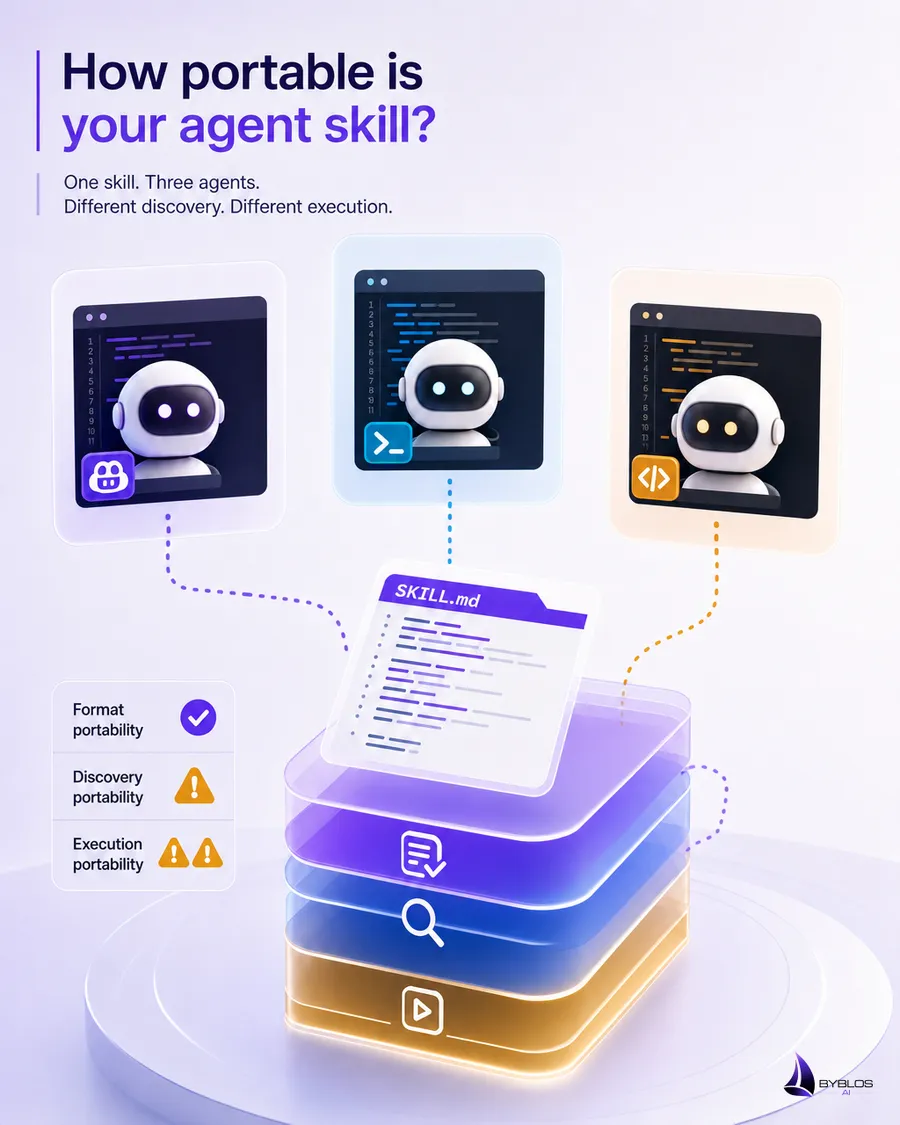
Agent Skills are portable at the content-contract level, not automatically at the installation level. Copilot, Codex, and Claude can use the same core SKILL.md format, but their native discovery directories and surrounding instruction systems differ. A credible multi-agent setup needs shared skill content plus tested vendor-specific entrypoints or packaging.
“Write Once” Needs a More Precise Meaning
The promise of portable skills is attractive: capture a workflow once and reuse it across coding agents. The open Agent Skills format makes that possible, but only if portability is defined carefully.
There are three separate questions:
- Format portability: Can another runtime parse the skill directory and metadata?
- Discovery portability: Will that runtime find the skill automatically in this repository?
- Execution portability: Can the runtime perform the tools, commands, and approvals the workflow expects?
A skill may pass the first question and fail the other two. Calling that “one setup works everywhere” hides the actual integration work.
The Shared Content Contract
The portable core is small:
my-skill/
├── SKILL.md
├── scripts/       # Optional
├── references/    # Optional
└── assets/        # Optional
---
name: my-skill
description: Describe what the skill does and when to use it.
---The Agent Skills specification defines required metadata, optional metadata, supporting directories, and progressive disclosure. Standard Markdown in the body is broadly readable.
That is the standard. The discovery location is chosen by each supporting product.
Native Discovery Paths
At the time of writing, official documentation describes these repository locations:
| Runtime | Documented project skill locations | Persistent project instructions |
|---|---|---|
| GitHub Copilot | .github/skills, .claude/skills, or .agents/skills | .github/copilot-instructions.md, path-specific instructions, and supported agent instruction files |
| OpenAI Codex | .agents/skills | AGENTS.md |
| Claude Code | .claude/skills | CLAUDE.md, .claude/CLAUDE.md, and .claude/rules/ |
This table is vendor behavior, not part of the Agent Skills specification. It may change as products evolve, so a multi-agent repository should link to current documentation and test the versions it actually supports.
The Strategy We Use
In our repositories, .github/skills/ is the procedural source of truth because our agent catalog and Copilot setup already organize work there. Root AGENTS.md and CLAUDE.md files route other agents into the repository’s detailed guidance.
That is useful for explicit workflows: an agent can be told to read a particular skill file before acting. It does not prove native auto-discovery in every runtime.
For broader portability, we recommend choosing one of three strategies.
Strategy 1: Use a Shared Native Directory
If all supported runtimes document .agents/skills, use it as the canonical location. GitHub Copilot and Codex both document support for that directory. Verify Claude support before including Claude in the claim.
Best for: new repositories with freedom to choose the layout.
Strategy 2: Package or Synchronize Skills
Keep one canonical source and generate vendor-specific installations:
skills-source/
└── test-generation/
    └── SKILL.md

.agents/skills/test-generation/
.claude/skills/test-generation/
.github/skills/test-generation/
The copies must be generated or checked for equality; manually maintained copies will drift.
Best for: products distributing skills to several tools.
Strategy 3: Use Thin Native Entrypoints
Keep detailed procedures in one repository location and add native instruction files that tell each tool where to read them.
Best for: internal repositories where explicit routing is acceptable.
Limitation: an instruction pointer is not equivalent to native skill discovery or marketplace installation.
Execution Portability Is the Hard Part
Even when two runtimes load the same Markdown, they may not share:
- tool names;
- permission models;
- sandbox boundaries;
- network access;
- browser capabilities;
- lifecycle hooks;
- subagent features;
- environment variables;
- output artifact APIs.
A portable skill should describe the required capability before naming a vendor tool:
Verify the rendered page in the available browser environment and record:

- the route tested;
- viewport size;
- visible result;
- console errors;
- any authentication or provider limitation.
Then a vendor-specific reference can explain how to perform that verification in one runtime.
Avoid claiming that standard Markdown makes every command executable everywhere. The format transports instructions; it does not normalize the environment.
Separate Core Workflow From Adapters
We recommend a two-layer skill design:
ui-verification/
├── SKILL.md
└── references/
    ├── copilot.md
    ├── codex.md
    └── claude.md
The entrypoint defines:
- the outcome;
- required inputs;
- evidence;
- safety boundaries;
- vendor-neutral workflow.
Each adapter defines:
- supported tools;
- permission prompts;
- environment setup;
- known limitations;
- vendor-specific commands.
This is our recommended practice, not a required directory layout. The specification allows additional files, so the pattern remains compliant.
A Compatibility Header
Use the optional compatibility field when a skill has genuine environment requirements:
---
name: browser-regression
description: Reproduce and verify browser defects. Use for visual, interaction, hydration, or client-runtime bugs.
compatibility: Requires a browser-control capability and access to the running application.
---
Do not add compatibility text merely to restate a preferred vendor. Use it to disclose requirements that could prevent execution.
Our Portability Checklist
This checklist is our review practice:
Format
- Directory and
SKILL.mdmetadata validate against the specification. - Supporting files use direct relative references.
- Non-standard metadata is optional.
Discovery
- Every supported runtime has a documented installation or entrypoint.
- The claimed path matches the current vendor documentation.
- Native discovery and explicit routing are not described as the same thing.
Execution
- The core workflow names outcomes and evidence, not only vendor tool calls.
- Required tools, network access, and permissions are disclosed.
- Destructive and external actions have clear approval boundaries.
Verification
- The skill has been exercised in each runtime named in the compatibility claim.
- The evaluator records observable activation and output, not hidden reasoning.
- Unsupported features and fallbacks are documented.
A Worked Example: TypeScript Validation
A non-portable instruction might say:
Use Tool X’s background shell to run our checker and silently approve all commands.
A more portable core says:
Run the repository's declared TypeScript validation command.

Requirements:

- Use the package manager named by the repository.
- Do not replace the command with a different checker without reporting it.
- Record the command, exit status, and any unresolved diagnostics.
- Request permission if the runtime requires approval.
The repository instructions supply pnpm typecheck. The runtime supplies the shell and approval model. The skill preserves the evidence boundary across both.
Why This Matters for Startup Codebases
Startups change tools frequently. A workflow encoded entirely around one vendor can become migration debt just as quickly as a proprietary deployment script.
Portable skill content helps preserve:
- release procedures;
- security reviews;
- documentation standards;
- testing expectations;
- architecture review habits;
- handoff knowledge.
The goal is not to support every tool on day one. It is to avoid unnecessary lock-in and to make compatibility claims that can be demonstrated.
Common Portability Myths
“A .github/skills Folder Is Universal”
It is a documented GitHub Copilot location. Codex documents .agents/skills; Claude Code documents .claude/skills.
“Markdown Means Every Runtime Behaves the Same”
Markdown makes the instructions readable. Runtime selection, tool access, permissions, and context management can still differ.
“A Root Instruction Pointer Equals Native Discovery”
It can make an explicit workflow work well, but it is not the same technical mechanism.
“Portable Means Vendor-Neutral at Any Cost”
Some tasks require vendor-specific capabilities. Keep the core evidence model shared and document adapters honestly.
Key Takeaways
- The
SKILL.mdcontent contract is portable; installation and runtime behavior are vendor-specific. - Measure format, discovery, and execution portability separately.
- Our repositories use a canonical procedural source with thin tool entrypoints; that is our convention.
- Use adapters for tools, permissions, and environment details.
- Claim compatibility only after testing the named runtime.
Frequently Asked Questions
Can one skill work in Copilot, Codex, and Claude?
Yes, if the content follows the shared format and each runtime can discover or explicitly load it. The workflow must also avoid unsupported tool assumptions or provide adapters.
What is the best canonical directory?
There is no universal answer. Choose based on the tools you support, then document installation and test it. .agents/skills currently has documented support in Codex and GitHub Copilot.
Are symlinks a good solution?
They can work in some local environments, but packaging, operating systems, archives, and hosted runtimes may treat them differently. Generated copies with drift checks are often easier to distribute reliably.
Should vendor-specific steps be removed?
No. Put them in clearly labeled adapters or references. Hiding necessary vendor behavior makes a skill less accurate, not more portable.
Official References
Conclusion
Portable Agent Skills are realistic when the claim is precise: share the workflow contract, adapt discovery and tools, and test each supported runtime.
That approach reflects how we work. We value one procedural source of truth, but we do not call an internal folder convention an open standard or confuse explicit routing with native discovery.
For the instruction layer, read Custom Instructions for AI Coding Agents Without Duplication. For authoring quality, see How to Write Agent Skills That Work Reliably and What Are Agent Skills?.
Want to distribute repeatable engineering workflows without overstating compatibility? Explore ByblosAI or contact us.